 ×
×
Claude for Hotels: AI Workshops
We come to you, analyse your processes and set up custom AI workflows together with your team — automations that simplify your daily operations for good. As a compact online workshop or on site at your property, from the 2-day core package to the five-day AI Sprint.
Fewer hands, the same workload
Staff are scarce — and every day, routine screen work runs in the background: transferring reservations, answering emails, maintaining lists, copying data from one program to the next. Much of it can be taken over by AI, without hiring for new positions.
Recurring tasks
The same clicks on the PC every day — exactly the work that lends itself to automation.
Time for what matters
Less click work means more time for your guests — where your team is actually needed.
Solutions, not concept papers
We build the automations during the workshop — the first one is already running live by the end.
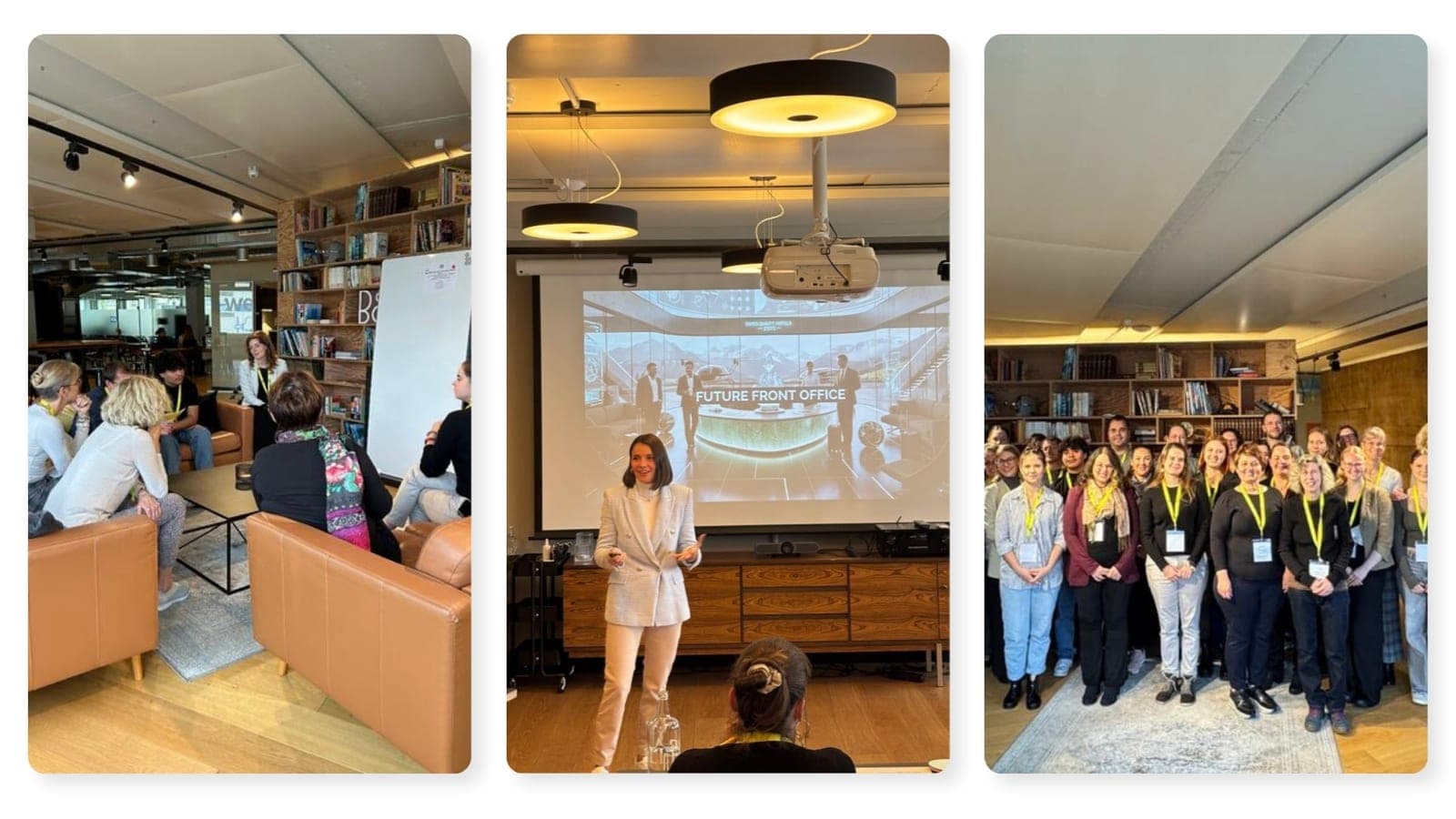
What the AI workshop delivers
We do not automate in theory — we start from what your team actually does every day. You show us the process, we translate it into AI.
Process analysis
We analyse your existing workflows, processes and the biggest time sinks — right at the workstation, on real cases.
Custom AI assistants
We set up custom AI assistants and automations built on Claude — our prompting, our workflows and agent teams, configured in your own environment.
Automating recurring tasks
For example: transferring handwritten registration forms and guest data into the PMS automatically, generating the daily guest briefing for your team, or building a custom design system for producing marketing materials and newsletters in minutes.
Training your team
Your team learns to use AI day to day — with the goal of saving 20–50% of the time spent on recurring tasks.
Anchored in daily routine
We develop new AI-supported ways of working together with your team — so AI is not just tested, but used permanently in everyday operations.
14 days of follow-up support
After the workshop we stay close to the new workflows with your team — for questions and fine-tuning, so everything runs smoothly in daily use.
Use cases: what our AI system takes over in a hotel
Our AI workflows built on Claude take over the recurring screen work in a hotel: transferring data, producing content, analysing and summarising. Claude provides the language model — the workflows themselves, the prompting, the agent systems and the connection to your hotel systems through interfaces and connectors are developed by us and set up individually for your property. Typical use cases from our workshops — which ones pay off in your property is what the process analysis clarifies:
| Use case | What our AI workflows with Claude take over | Area |
|---|---|---|
| Digitising registration forms | Read handwritten registration forms and transfer the guest data into the PMS automatically | Front desk |
| Transferring bookings | Move bookings from emails and portals into the PMS in a structured way — no retyping | Reservations |
| Daily briefing | Generate the daily guest briefing for the team or a management briefing with key figures automatically | Team & management |
| hotelkit tickets on the go | Trigger a ticket from your phone in passing — no typing, while you walk the property; the workflow files it in hotelkit automatically | Housekeeping & maintenance |
| Design system & newsletters | Build a custom design system and use it to produce guest newsletters and marketing materials in minutes instead of hours | Marketing |
| Corporate outreach | Automated outreach to potential corporate clients on LinkedIn — with tailored meeting and conference offers | Sales & MICE |
| Guest analytics | Analyse guest data and spending habits: who books what, when, and through which channel | Management & revenue |
| Guest segmentation | Segment hotel guests automatically — as the basis for targeted offers and campaigns | Marketing & revenue |
| Answering reviews | Draft responses to online reviews in your property's tone of voice — for your team to approve | Front desk & marketing |
| Pre-arrival briefs | A short profile per arriving guest with wishes, history and occasions — automatically before every arrival | Front desk |
| Market monitoring | Watch prices and offers in your area and deliver them as a compact summary | Revenue |
Four formats — you decide how big to start
From the compact online workshop to the five-day AI Sprint through the whole property. We will help you pick the right format in a short call.
Online workshop
The compact entry point via video call: we analyse selected workflows remotely and set up the first automations together with your team.
- ✓Remote via video call · 2–3 hours
- ✓1–2 processes from one area
- ✓Ideal for experiencing AI automation in your own property
On site · 2 days
The core package at your property: we work side by side with your team for two days and automate the workflows that cost the most time — typically in one department, such as the front desk.
- ✓Day 1: process analysis & prioritisation
- ✓Day 2: implementation & team handover
- ✓2–3 processes automated — the first one runs live by the end
On site · 3 days
The complete programme for properties that want to anchor AI across the whole operation: everything from the 2-day workshop — plus a third day for further departments and in-depth training, after which your team builds its own automations.
- ✓Days 1 & 2: as in the 2-day workshop
- ✓Day 3: further departments — from reservations to marketing
- ✓4–6 processes automated, across the property instead of one department
- ✓In-depth training: your team then builds its own workflows
AI Sprint · 5 days
A whole week, inspired by the design sprint: we go through every department with you, automate the core processes across the property and anchor the new ways of working permanently in your team — from analysis to live testing.
- ✓Day 1: understand — every department, every workflow
- ✓Day 2: prioritise & draft solutions
- ✓Days 3–4: implement the automations across the property
- ✓Day 5: live test, in-depth training & handover with an AI playbook
| Format | Duration & location | Scope | Training | Best for |
|---|---|---|---|---|
| Online workshop | 2–3 hours, remote via video call | 1–2 processes, one area | Handover of the automations we set up | Getting started: experiencing AI automation in your own property |
| On-site workshop | 2 days, at your property | 2–3 processes, one department | Team training on the real process | The core package: analysis, implementation and handover |
| On-site workshop | 3 days, at your property | 4–6 processes, several departments | In-depth training — your team builds its own workflows | The full roll-out: anchoring AI across the operation |
| AI Sprint | 5 days, at your property | Core processes across the whole property, every department | In-depth training + an AI playbook for the whole team | Properties switching to AI-supported workflows within one week |
What is it worth? A sample calculation
For orientation — we set the actual figures together with your numbers in the kick-off.
| People working with the automations daily | 5 |
| Time saved per person per day (assumption) | approx. 2 hrs |
| At 5 working days per week — total | 50 hrs/week |
| Internal hourly rate (assumption) | approx. €35 |
| Savings per week | approx. €1,750 |
| Projected per year (~46 weeks) | approx. €80,000 |
Sample calculation with assumed values. All outcome and ROI figures are non-binding estimates, not a guarantee — results depend on your workflows, data and your team's participation.
How it works
From preparation to a working solution.
Beforehand
A short alignment call
We agree remotely which areas to look at and who will join the workshop.
Workshop
Understand & prioritise
You show us your workflows on the PC. We take notes, ask questions and decide together which processes to automate first — where it pays off most.
Workshop
Implement & hand over
We build the automations on your real processes and train your team. By the end, the first solution is already running live — no concept paper.
Afterwards
14 days of follow-up support
We stay available and fine-tune wherever daily use requires it.
How we measure success together
- →2–3 recurring processes automated — a short text prompt instead of many manual steps
- →Measurable time savings per week — we set the target in the kick-off based on your current effort
- →Your team works with it independently — the automations run without us after the handover
- →At least one process is live in production by the end of the workshop days
What we need from you
We can only automate what we understand — the more openly you show us your workflows, the more we can take off your team's plate.
- →Insight into your processes: show us on the PC how you work today — exactly as it happens daily
- →The right people in the room: whoever does the tasks daily and will work with the automations later
- →Access to the systems that are to be automated
- →A quiet room where we can work with your team without interruptions
Frequently asked questions about the AI workshop
Does the AI workshop take place online or on site?+
Will the workshop disrupt our day-to-day operations?+
What happens to our data?+
Does this run on our computers or somewhere on the internet?+
Does my team need technical skills?+
Can I trigger processes from my phone while walking through the property?+
Do you also develop custom software in the workshop?+
Are there ongoing costs?+
Automate the routine. Free up your team.
Tell us in a short call where your property loses the most time at the screen — we will tell you honestly what can be automated and which format fits.